
How to Organize a Football World Cup 2026 Prediction Pool (Step by Step)
Are you looking for a way to organise a Football World Cup prediction pool for your colleagues or friends? Managing your own tournament in a spreadsheet is time-consuming, requires constant manual updating of results, and involves complex points calculations. In this step-by-step guide, we will show you how to automate the entire process, configure the rules, and ensure that participants remain engaged throughout the championship without unnecessary administration.
What is a Football World Cup 2026 prediction pool
Trefa.app is a Czech application for private sports prediction pools for 5–50 people, free in the basic version and with no real-money betting. It serves exclusively as a platform for closed groups of friends, families, or work colleagues who wish to enhance their experience of watching sporting events.
The 2026 Football World Cup presents an ideal opportunity for organising such an activity. The tournament takes place from 11 June to 19 July 2026, meaning a full 39 days of regular programming. For the first time in history, the event is co-hosted by three countries – the United States, Canada, and Mexico. The matches will be played across 16 different host cities.
The format has also undergone a fundamental change. As stated in official FIFA materials, the number of participating national teams has expanded to 48. These are divided into 12 groups of four. In total, 104 matches will be played, representing a significant increase compared to the 64 matches in previous championships (you can find more about the history of tournament formats on Wikipedia).
For Czech fans, this tournament holds a specific significance. The Czech national team, led by manager Miroslav Koubek, returns to the World Cup after a long twenty years. Their last appearance dates back to 2006. The Czech team has been drawn into Group A, where they will face Mexico, South Africa, and South Korea. The combination of the national team's historic return and the lengthy tournament format creates the perfect foundation for the long-term engagement of your prediction pool participants.
Step 1: Create your league and invite players
Setting up your own league requires no technical knowledge or complex form-filling. Logging into the application is handled exclusively via Single Sign-On (SSO) using an existing Google, Microsoft, or Apple account. The system does not use any passwords that users might forget, and there is no traditional registration form.
Creating the prediction pool itself takes approximately 30 seconds. In the administrator interface, you simply select the option to create a new league and choose "World Cup 2026" from the list of available tournaments.
"We launched the prediction pool in 30 seconds, and 78% of employees submitted at least one prediction within the first week — a higher engagement rate than any previous team-building activity." — HR Director of a company from the ENBRA pool (15-member internal league)
Once the league is established, the system generates a unique invitation link in the format trefa.app/join/<code> along with a corresponding QR code. You can distribute these materials to colleagues via email, post them in your corporate communication tool, or print the QR code and display it in the office.
An important security feature is the approval barrier. Trefa.app is not a public social network or an open internet portal. When a new player attempts to join via your link, they do not enter the league automatically. The administrator must manually approve each entry request. This ensures that your private, closed group remains accessible only to the people you genuinely want to include.
The application operates as a PWA (Progressive Web App). Users do not need to download anything from the App Store or Google Play. Upon their first visit to the website in a mobile browser, they simply select the "Add to Home Screen" option. The application then behaves like a native app – it has its own icon, sends push notifications, and requires no manual updates.
Step 2: Configure the scoring rules
The core of every prediction pool is a fair and comprehensible scoring system. As an administrator, you can choose between two fundamental modes for evaluating prediction accuracy.
The first is the tiered system. This method is traditional and easy to understand. For guessing the exact match score, a player receives 5 points. If they correctly predict a draw (for example, they predicted 1:1, but the match ended 2:2), they receive 4 points. For correctly identifying the winning team without the exact score, 3 points are awarded. An incorrect prediction for the winner results in 0 points.
The second, more analytical system is the downtrending mode. Here, every prediction starts with a value of 8 points. For every goal by which the player's prediction deviates from reality, 1 point is deducted. If a player correctly guesses the winner, they are guaranteed a minimum of 1 point, even if the goal deviation is vast. Conversely, a bonus of +5 points is awarded for an absolutely exact score. This system better rewards those who are close to the actual result, even if they miss the exact scoreline.
Alongside the base modes, you can activate optional bonuses. You can configure an additional 1 point for predicting an away team victory, 1 point for a correct draw prediction, or 1 point for exactly determining the goal difference (for example, predicting 3:1 when the result is 2:0).
For more advanced players, you can enable optional prediction types for each match:
- Over/Under (whether the total goals scored will be over or under a certain number) valued at +1 point.
- BTTS (Both Teams To Score) valued at +2 points.
- Clean Sheet (for a specific team) valued at +2 points.
The application also supports predicting specific goalscorers and assists (primary assists are evaluated). Given that this is an international tournament, the administrator must manually enter the 26-player squads into the system. According to the rules, final nominations for all teams must be concluded by 31 May 2026.
A major advantage of the system is a full audit trail for rule changes. If, as an administrator, you decide to adjust the scoring halfway through the tournament (for example, by increasing the value of bonuses), the system will automatically and retroactively recalculate all matches played to date according to the new rules. No one is disadvantaged.
Step 3: Predict night-time matches in advance
The 2026 World Cup takes place on the North American continent, which means a significant time difference for European fans. Two of the Czech national team's three matches in Group A are played during the night in Central European Summer Time (CEST). The first match against South Korea in Guadalajara, Mexico, begins on Friday, 12 June, at 04:00 in the morning. The final group match against host nation Mexico at the Estadio Azteca kicks off on Thursday, 25 June, at 03:00 in the morning.
The only match at a "humane" time for a European viewer is scheduled for Thursday, 18 June, at 18:00, when the Czech Republic faces South Africa in Atlanta, USA.
Precisely because of these night-time matches, the application is equipped with a Sleep Mode feature. Users do not have to wait until late hours to submit their predictions based on the latest starting line-ups. The principle is simple: submit your prediction the evening before, the system will lock your picks at the moment of kick-off, and you simply check your results in the morning after waking up.
To ensure no participant forgets to submit their prediction, the app utilises a sophisticated push notification system. If a user has not yet predicted a given match, the system sends reminders in five waves: 4 hours, 2 hours, 1 hour, 30 minutes, and finally 10 minutes before kick-off. Once the prediction is submitted, notifications for that specific match are automatically deactivated.
Step 4: Follow the standings, daily recap emails, and crown the winner
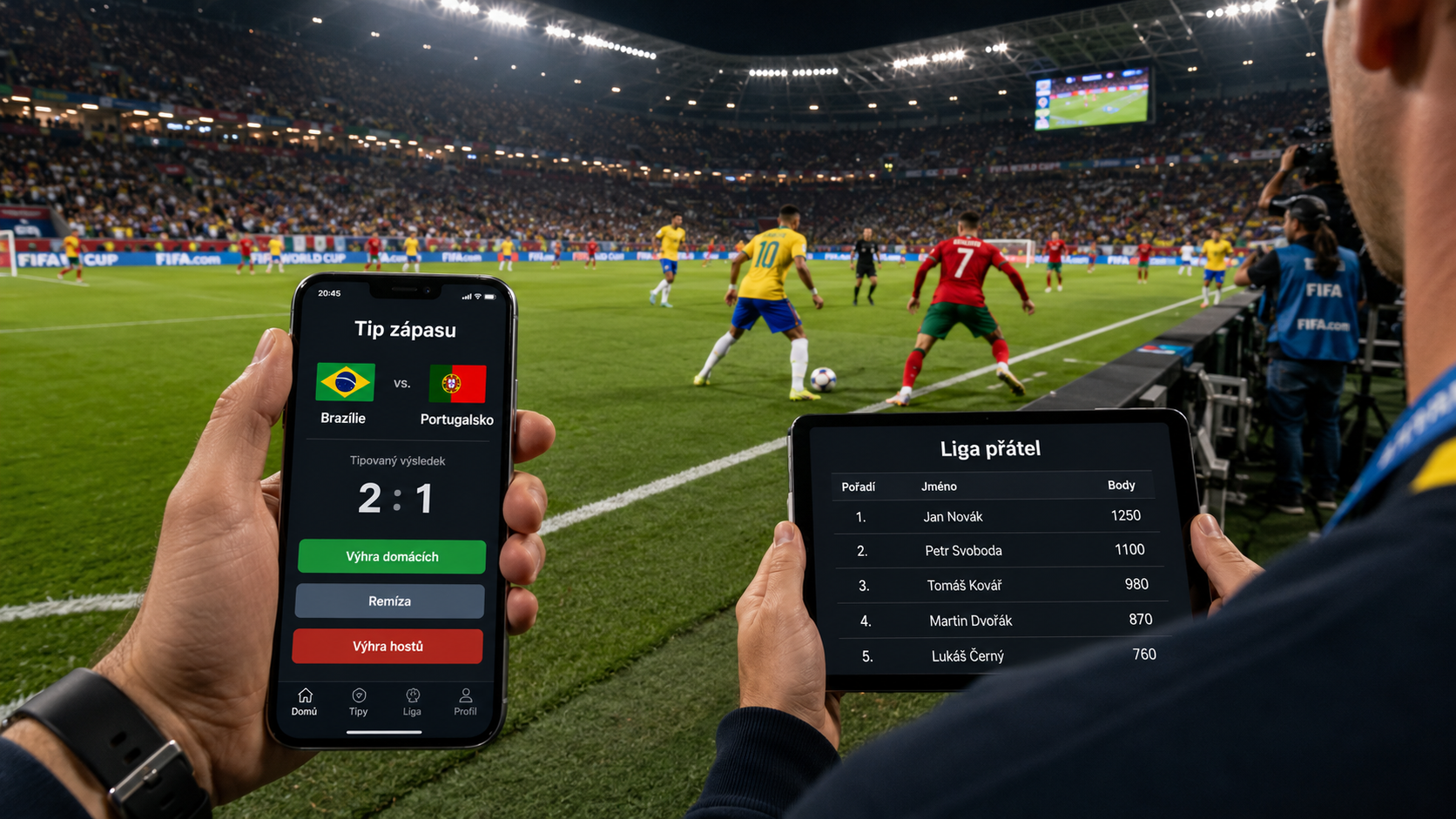
Maintaining player attention throughout the 39 days of the tournament requires a regular flow of information. The foundation is a live leaderboard that updates immediately after every match concludes. Each user sees their own row in the table highlighted in colour, making it easy to navigate the standings.
A key tool for participants' morning routines is the daily recap email. This is sent automatically every morning following a tournament day. The email contains a personalised summary: results of yesterday's matches, information on who moved up or down the table, the "prediction of the day" (the best guess across the league), and the match schedule for the current day. Recap emails are available in three languages (Czech, English, and German).
For analytically minded participants, the application offers a personal dashboard called "My Stats". This is divided into eight sections. It features a hero banner displaying total points and hit rate, a pie chart of prediction accuracy, point distribution, and so-called biases (for instance, an alert that the user consistently overestimates the number of goals by an average of 0.8 per match). Furthermore, players will find their "bogey teams" (teams against which they regularly lose points), performance trend graphs, a comparison of their predictions versus reality, and a calendar activity heatmap. All this data can be compared with any other player in your league using the comparison mode.
Communication takes place directly within the app via a chat function, which is separated for each pool (league). Users can react to messages using emojis. To prevent the chat from becoming disruptive, notifications for new messages are throttled to a maximum of one alert per 5 minutes.
The reliability of the system is evidenced by current data from live deployment. To date, the platform records 148 registered users, of which 124 are active weekly. The application hosts 12 active corporate pools, with 139 people holding active memberships in at least one league.
After the final match is played at the MetLife Stadium (Sunday, 19 July 2026, at 21:00 CEST), the administrator concludes the tournament in the system. This freezes the final standings, and a concluding email with a complete summary and the crowning of the winner is sent to all participants.
Getting started with trefa.app
Setting up your own league is a matter of a few clicks and requires no initial investment. If you want to familiarise yourself with the environment first, take advantage of the option to test the system in a trial run.
- Try the demo (no signup) (features fictional opponents and simulated played matches).
- Log in and create your first league in 30 seconds.
For further organisational tips, you can read our related articles: company football pool for the World Cup 2026, detailed information on how the Czech Republic is preparing for the World Cup 2026, or review the complete World Cup 2026 programme.
Frequently asked questions
Does trefa.app cost money?
For regular users and groups who configure the application themselves (self-serve), the basic version is free. The white-label variant, which is custom-built for companies requiring their own branding and colours, is subject to a fee.
How many people can be in one prediction pool?
The application is optimised for small to medium-sized groups, ideally ranging from 5 to 50 people. This number ensures the leaderboard remains clear and maintains a personal dynamic in the chat.
Is a workplace prediction pool legal? (vs. a betting agency)
Yes, it is entirely legal. Trefa.app is not a betting agency. We do not offer odds, no money is deposited into the system, and no financial winnings are paid out. It is purely a points-based competition for fun within a closed group.
Does it work on both iPhone and Android?
Yes, the application works across platforms as a PWA (Progressive Web App). You do not need to search for it in the App Store or Google Play. Simply open the website in your mobile browser and select the option to add it to your home screen.
What if I don't have time to predict a night-time match?
For matches played during the night in Central European Summer Time (for example, the Czech Republic's matches at 03:00 and 04:00), the Sleep Mode feature is available. You submit your predictions in the evening, the system locks them at kick-off, and you can check the result and your points tally in the morning.
Can I also predict specific goalscorers?
Yes, the application supports predictions for goalscorers and assists. However, due to the nature of international tournaments, your league administrator must manually enter the 26-player rosters for individual teams (final nominations close on 31 May 2026).
What happens if the admin changes the rules in the middle of the tournament?
If the administrator decides to adjust the scoring system during the championship, the application utilises an audit-trail function. All matches played and points awarded to date are automatically recalculated according to the new rules, ensuring the standings remain fair.
How do my colleagues join?
As the administrator, you generate an invitation link or QR code to send to your colleagues. They log in using their Google, Microsoft, or Apple account (without needing to enter passwords). Subsequently, you must manually approve their request to enter the league.